Results and GymReview insights
Your members have spoken — now let's turn their answers into decisions. Using the real results of Fortios Fitness, you'll learn where to find your happiness score, which topics need attention, what members wrote in their own words, and how GymReview insights turn it all into a short to-do list.
Your totals
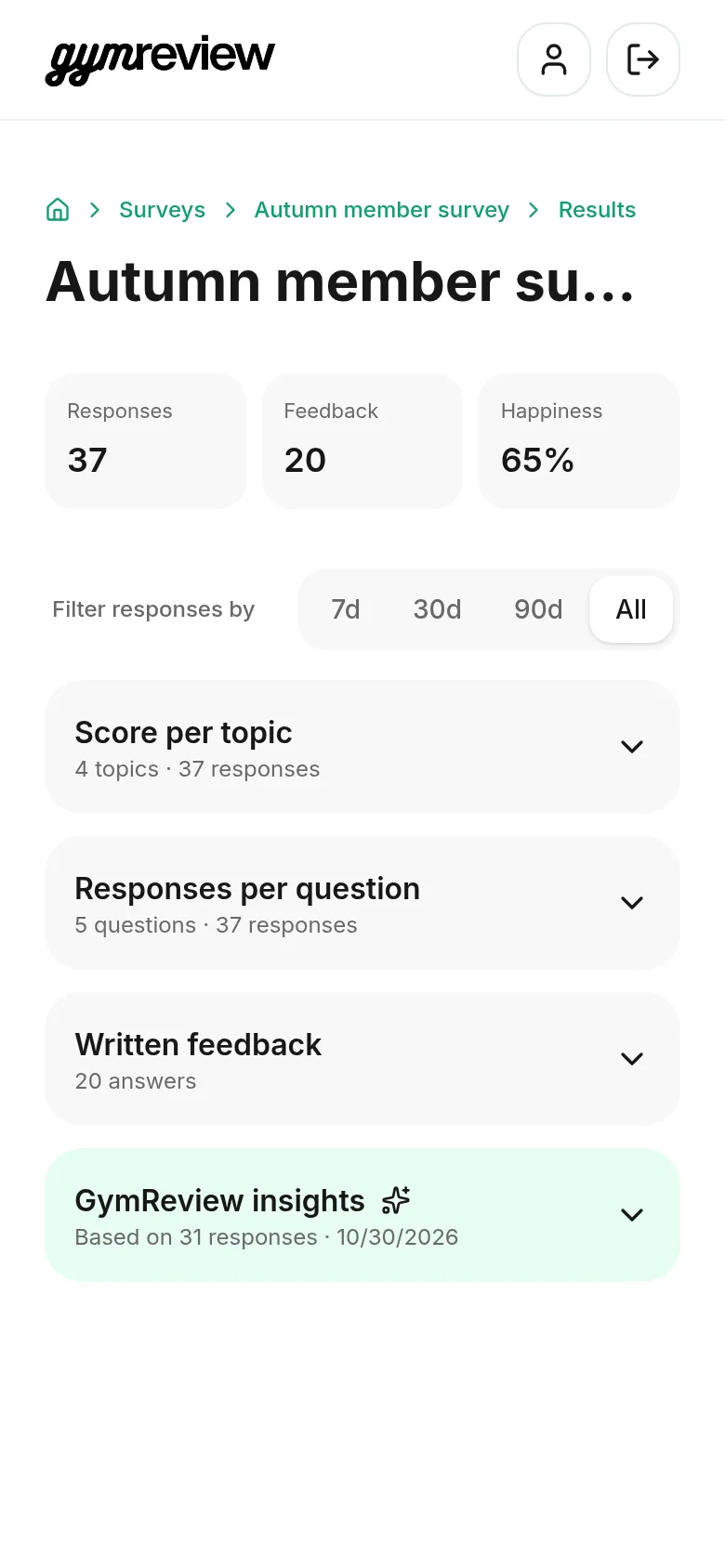
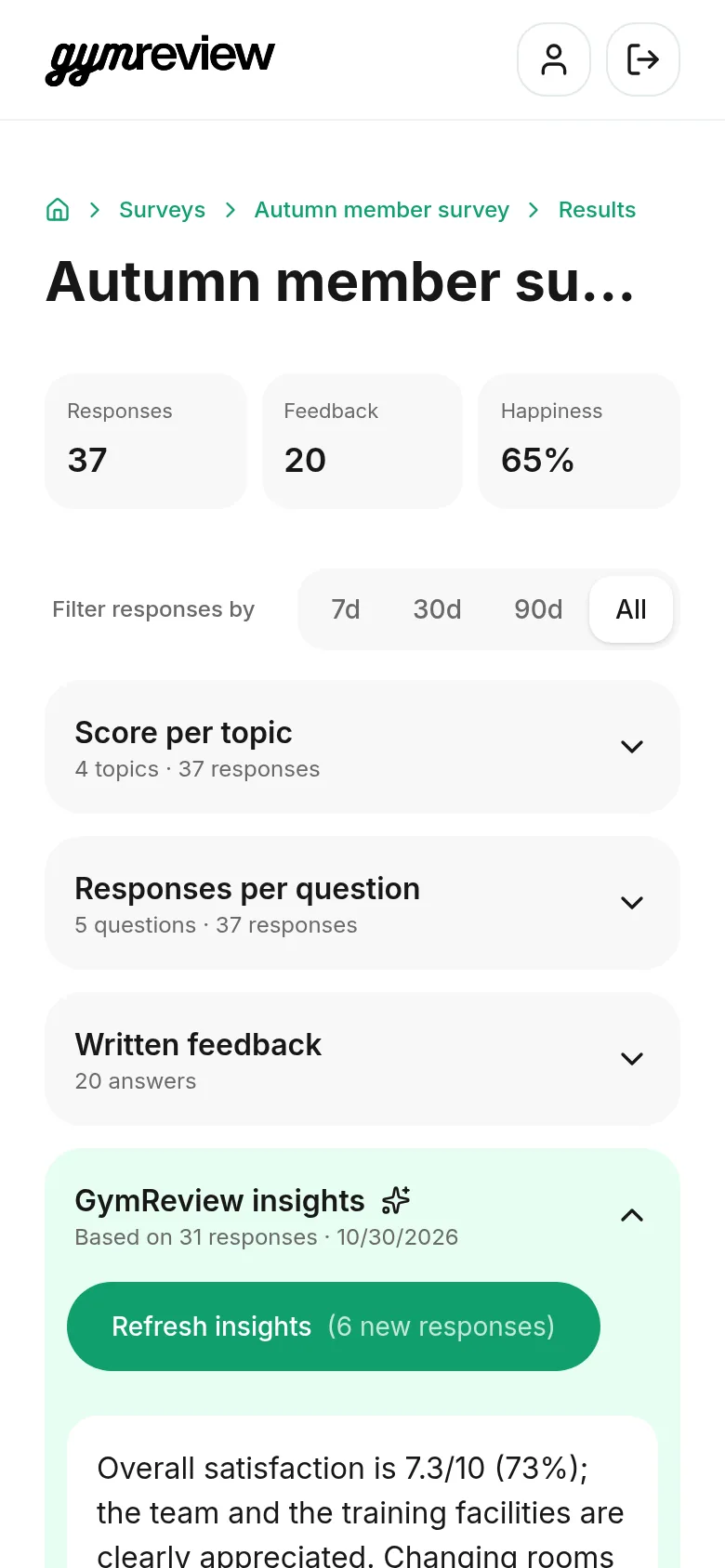
Open a survey and tap Results. The three tiles at the top show the total number of responses, the number of written feedback answers and your overall happiness score.
These totals always cover all responses. With Filter responses by (7, 30 or 90 days, or All) you zoom in on recent weeks in the sections below.
Score per topic
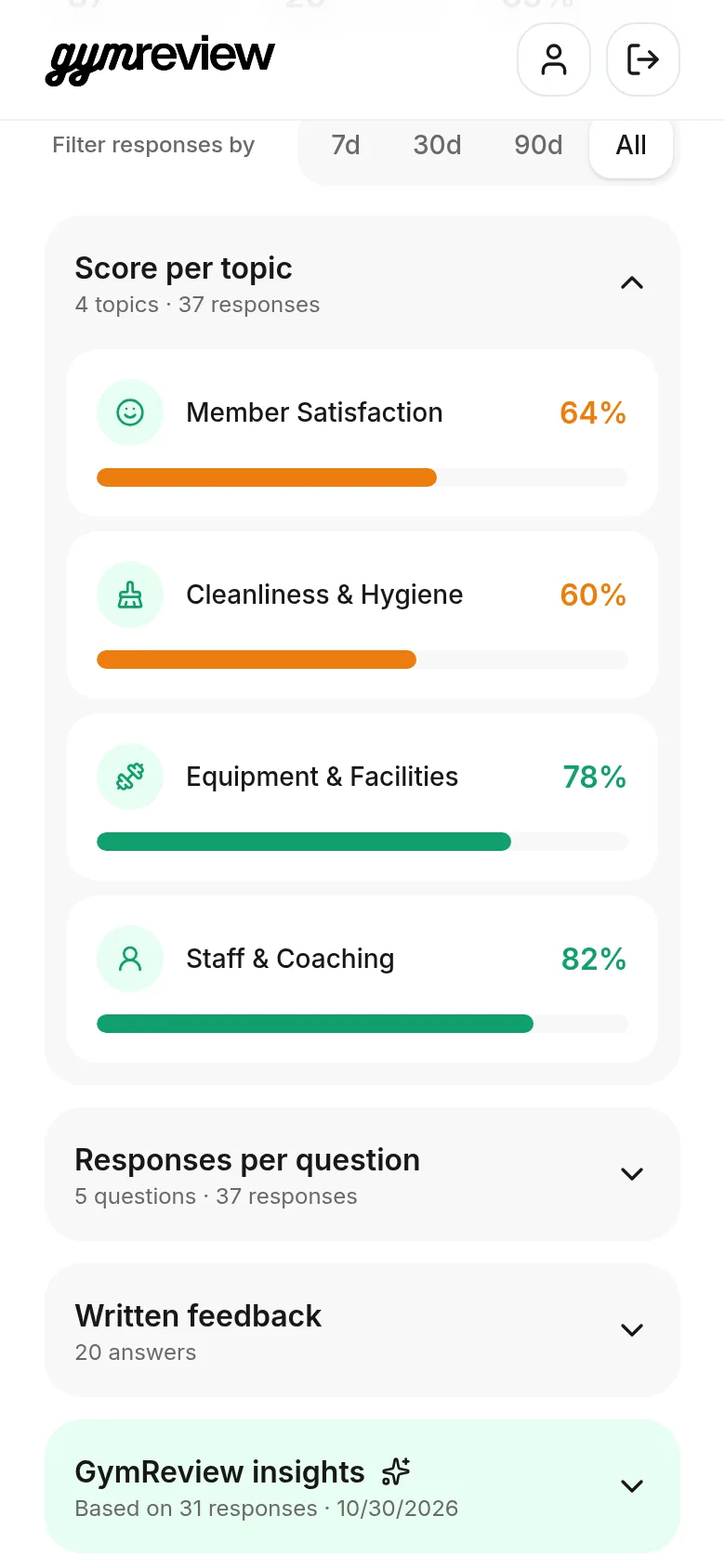
Each topic gets its own score, combining the scores members gave with the tone of their written feedback.
Green bars show where you shine, orange bars show where there's room to improve. At Fortios Fitness, the team scores high while cleanliness needs work.
Responses per question
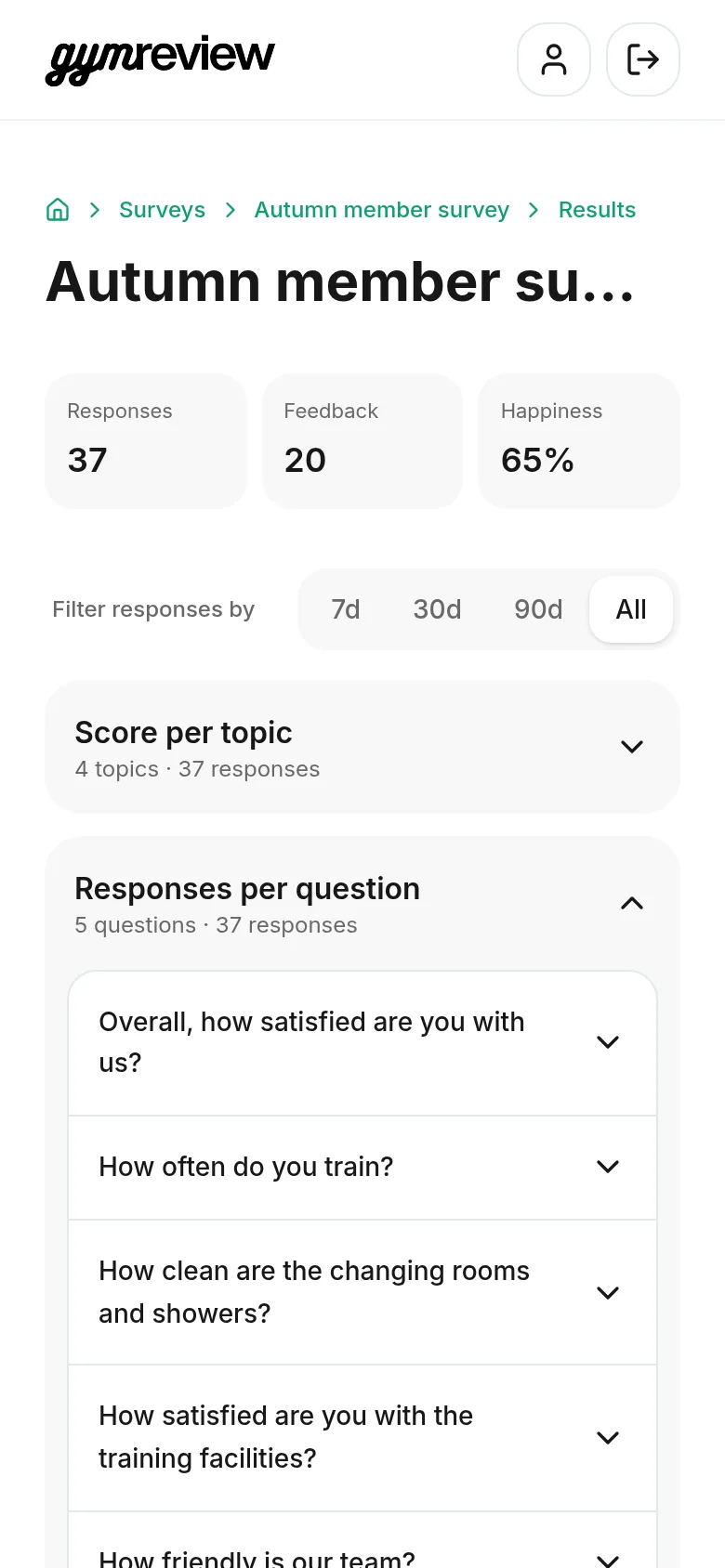
Tap a question to see how members answered: the average score, the spread of scores or how many chose each option.
Use this when a topic score surprises you and you want to know which question is behind it.
Written feedback
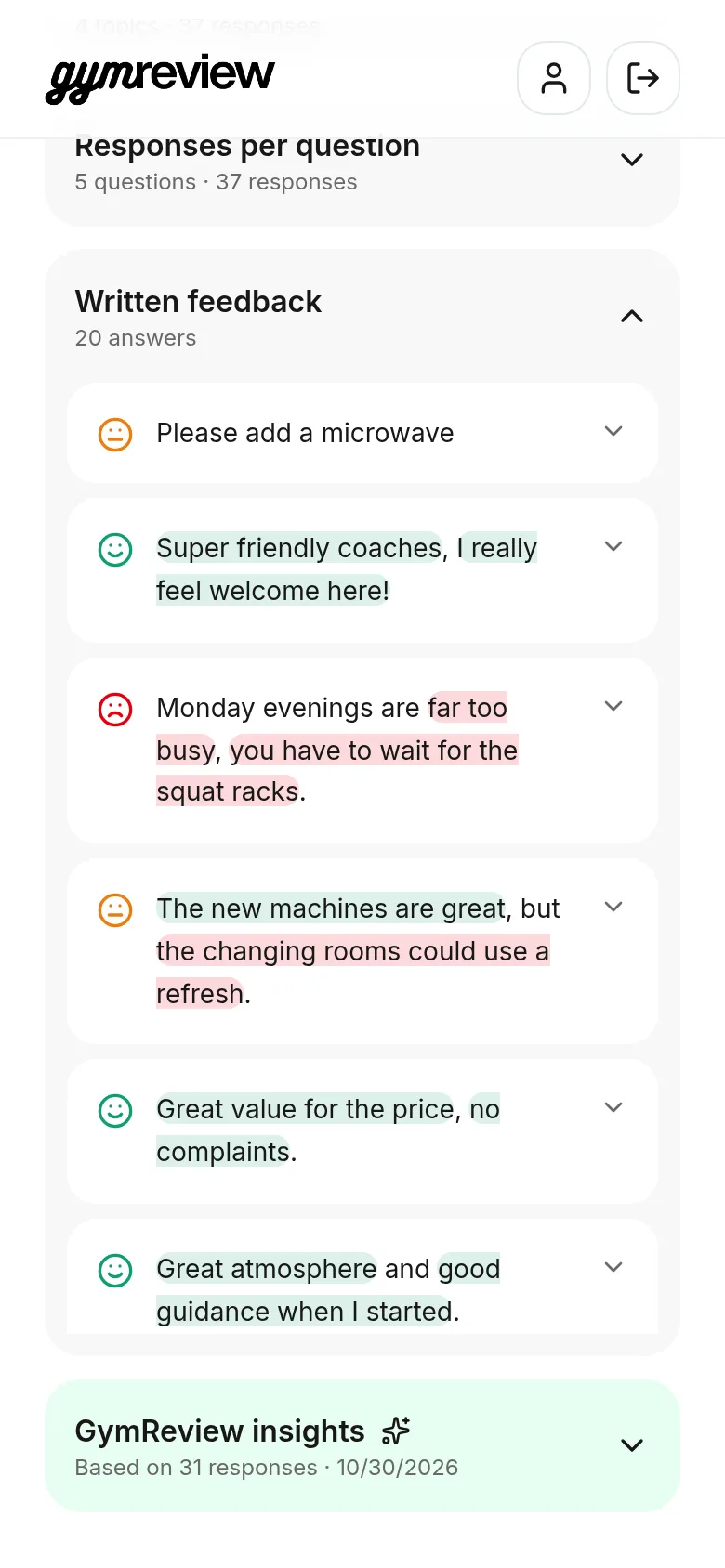
Here you read every comment in your members' own words. A small face shows the overall tone: green for positive, orange for neutral or mixed and red for negative.
Inside each comment, the words that carry the message are highlighted: green for what members praise, red for what bothers them. A mixed comment like "The new machines are great, but the changing rooms could use a refresh" shows both.
Tap a comment to see its topic, the question it answers, when it came in and — if the member left them — their name and email.
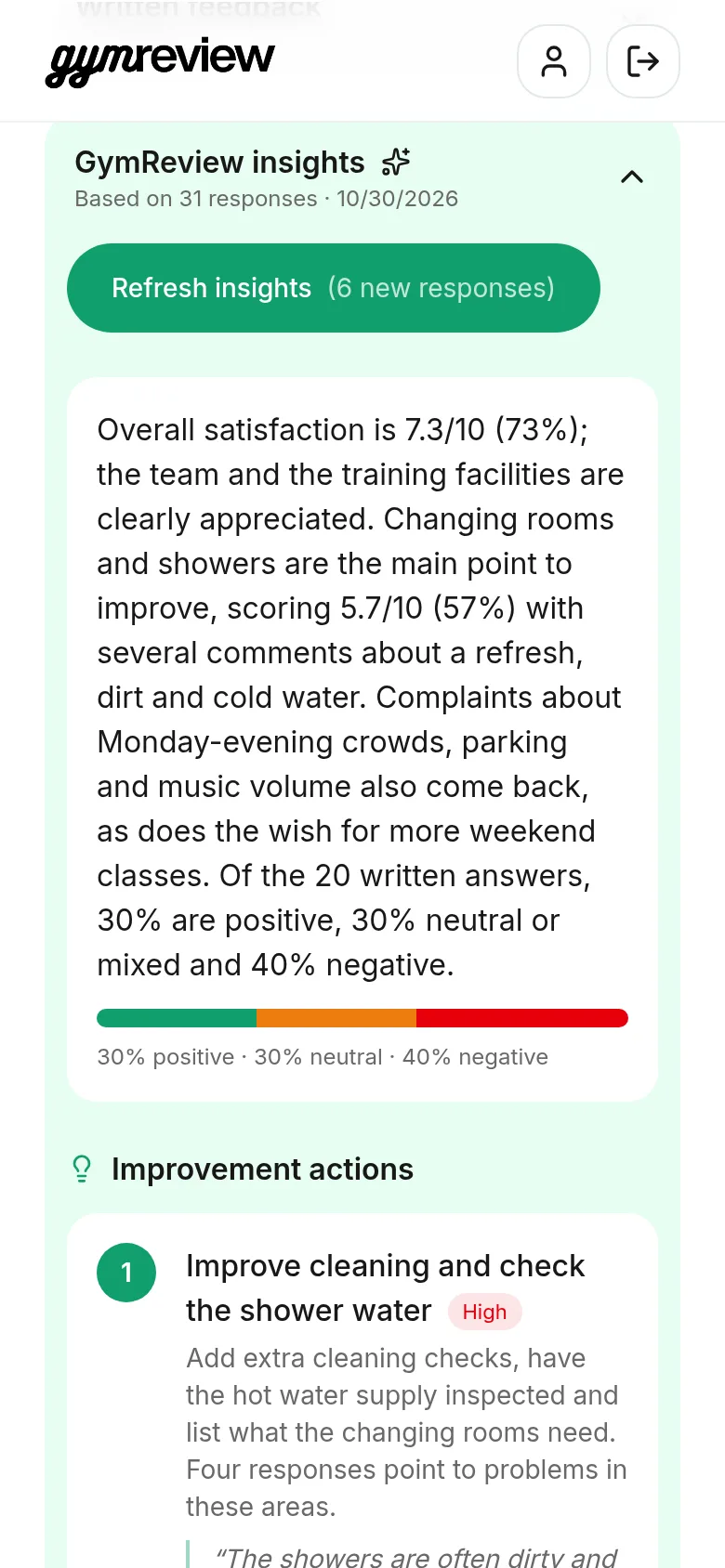
GymReview insights
Tap Generate insights for a short summary of all answers: how members feel overall, what they praise and what keeps coming back.
Insights are saved, so they're ready next time. When new responses come in, the button shows how many, for example Refresh insights (6 new responses).
Tip: Insights are written in the survey language, so they match your members' words.
Improvement actions
Below the summary you'll find improvement actions, ranked from high to low priority. Each action says what to do and why, backed by real member quotes.
For Happiness surveys with Google reviews on, the last block shows how often members clicked the Google review button.